Periodic table ranking video — Retro periodic table style
Make a ranking styled as a retro periodic table: each idea becomes an element tile, shown as a large card then filed away, with a stamp and a flask gauge.
Included in Starter, with all 81 styles plus your own · preview rendered by the ClipOnIt engine
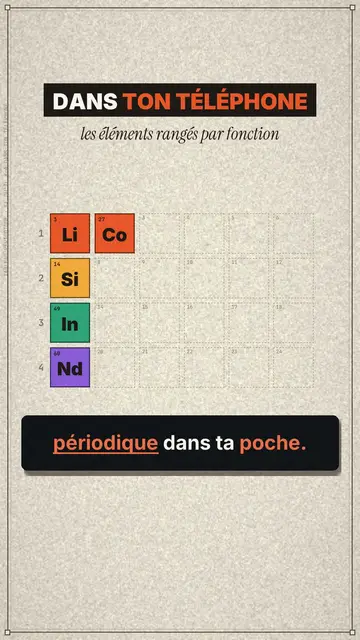
What this style looks like
Retro periodic table looks like a vintage lab poster on beige paper. Each idea in your video becomes a chemical element tile, with its one- or two-letter symbol, its number, its name, a mono metadata line and stars. The tile first appears enlarged like a card in the middle of the screen, then flies into its place in a table that fills up row by row, each row being a family with its own colour.
The title mixes a grotesque with an underlined italic serif (“In your phone”). Round photos illustrate an element, an “WE USE IT” stamp crashes onto the card on the chosen word, and an Erlenmeyer flask fills like a gauge to show a proportion. The opening drops the full table in a cascade, and the end shows “Comment WORD”. A small source line can appear above the captions.
Topics it suits
Avoid: narrative or emotional topics with nothing to sort: the style lives on tiles and families. Also avoid lists that are too long; past fifteen or so tiles, the table becomes unreadable on a phone.
- Rankings and top listsThe table filling up sorts each option into its family: the list becomes a map.
- Chemistry and scienceReal elements, with their atomic number, naturally find their tile.
- ToolkitsEach tool becomes an element, each category a colour family.
- Comparisons by familyThe flask gauge shows each family's share at a glance.
Video ideas in this style
- The chemical elements in your phone
Li 3, Co 27, Si 14, In 49 and Nd 60 as cards, filed into four families, then the flask.
- The periodic table of AI tools
One tile per tool, one family per use and the “WE USE IT” stamp on your favourites.
- The 12 habits of a senior dev
The underlined serif title, the cards one by one and the table filling up.
- What's on your plate
Nutrients as tiles, round photos and the flask of proportions.
Get it in 1 click
- Open this style's link
The “Create a video in this style” button opens the editor with this style already picked. Without an account, signing up takes a minute and needs no card.
- Write your topic in one sentence
One idea is enough. You can also paste your text or, from Starter, narrate into the mic: the video then builds on your voice.
- Review, then render
AI writes the scenes, picks the style's elements and times them to the words, with voice and captions. You fix what is off, then the vertical MP4 arrives in a few minutes.
What you can adjust
For each scene you pick the shot (tile, opening, flask or end), the title and its serif part, the family (table row), the tile with its symbol, name, number, metadata and stars, the stamp word and its text, the source line, the flask level and the word to comment.
Frequently asked questions
Free or not, output, uses: the short answers.
Does it have to be a chemistry topic?
No. The periodic table is a format: any list sorted into families can fit, from tools to habits. Real elements also work very well.
Can I use my own voice?
Yes. Record yourself or import your audio: cards grow and file themselves away on your words.
How is it different from Tech list?
Tech list runs a numbered list on a black card. Retro periodic table files each item into a tile and a family, on a beige lab poster.
Is this style included in the free plan?
No, it comes with Starter ($29/month): 15 watermark-free videos a month, all 81 styles plus your own. The free plan gives 3 videos a month with a watermark in 8 other styles: Pixel News, Press paper, Comedy cartoon, Class sketch, Night tale, Social screen, Retro synthwave and Flat vector.
If you like this style
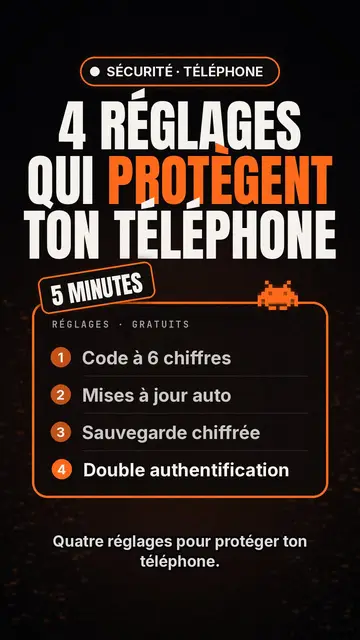
Tech top list video maker
Tech list style · Tech card on black, glowing badge, numbered list.
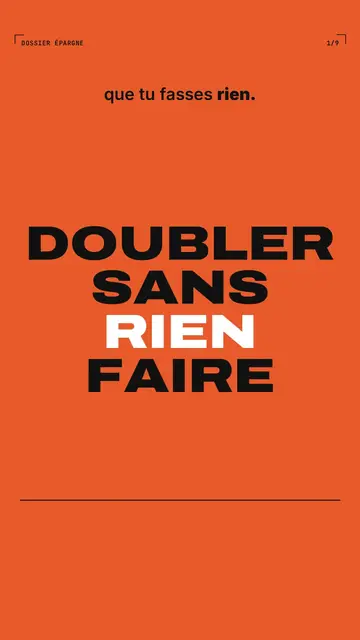
Bold kinetic typography video
Bold poster style · Every screen is a poster: bold flat colours in hard cuts, extra-bold capitals, giant numbers.
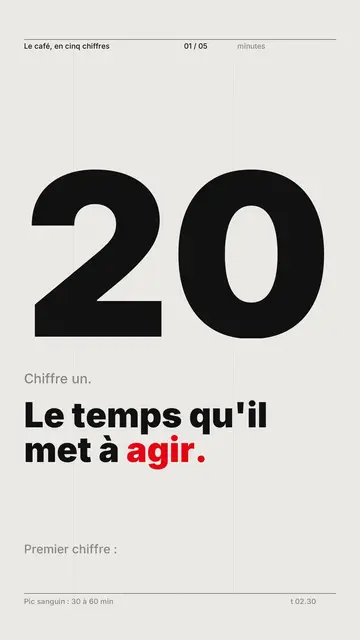
Kinetic typography video maker
Swiss grid style · Swiss typography: light paper, strict grid, giant figure, one signal colour.
Your idea, in this style
Write a sentence or say it: the style is already picked when you reach the editor.