RPG-style tutorial video — Pixel RPG quest style
Make a tutorial played like a pixel art RPG quest: a checklist ticked on the word, a dialogue box, an inventory, a chest and full-screen spells.
Included in Starter, with all 81 styles plus your own · preview rendered by the ClipOnIt engine
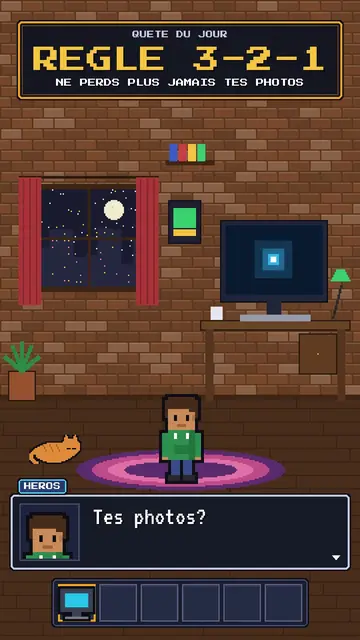
What this style looks like
Pixel RPG quest turns your tutorial into a video game played on screen. The set is pixel art: a bedroom at night with the pixel hero, their computer and their cat, or a castle under the northern lights. On top sits an RPG interface: at the top, the checklist of the day's quest, whose steps tick on the spoken word; at the bottom, a dialogue box where the hero or an AI speaks; and an inventory bar with a sword, potion, key or computer.
Frames are golden like in old games, and win moments show a “QUEST COMPLETE” panel, a chest opening with its loot or a counter. Between two chapters, a full-screen spell bursts out, fire, ice, lightning or stars. The camera can zoom into the computer screen, where lines type themselves like in a terminal. The hero changes pose: idle, victory, or casting a spell.
Topics it suits
Avoid: grave or sad topics: the game tone would make them feel light. Also avoid topics without steps to tick; the quest needs concrete goals, not just a story.
- Step-by-step tech tutorialsEach step is a quest line that gets ticked: viewers know how many are left.
- Digital safety rulesBackups, passwords, updates: the quest makes a chore almost fun.
- Gaming and geek culture videosRPG codes speak straight away to an audience of players.
- Challenges and goalsThe chest and the “QUEST COMPLETE” panel reward the ending, like in a game.
Video ideas in this style
- The 3-2-1 backup rule
The “never lose your photos” quest, the three steps ticked, the chest and the “QUEST COMPLETE” panel.
- Create an unbreakable password
The key in the inventory, the zoom into the screen and the ice spell at the end.
- Install your first local AI
The bedroom at night, the computer typing commands and the AI speaking in the dialogue box.
- The 4 steps to launch your channel
The castle, the checklist ticking and the subscriber counter in the chest.
Get it in 1 click
- Open this style's link
The “Create a video in this style” button opens the editor with this style already picked. Without an account, signing up takes a minute and needs no card.
- Write your topic in one sentence
One idea is enough. You can also paste your text or, from Starter, narrate into the mic: the video then builds on your voice.
- Review, then render
AI writes the scenes, picks the style's elements and times them to the words, with voice and captions. You fix what is off, then the vertical MP4 arrives in a few minutes.
What you can adjust
For each scene you pick the set (bedroom, castle or screen), the quest and its ticked steps, the big gold-framed banner, who speaks in the dialogue box and their name, the hero's pose, the lines typed on the screen, up to two panels (quest complete, chest, counter), the entry spell and the inventory.
Frequently asked questions
Free or not, output, uses: the short answers.
Do I need to know video games?
No. Just write your tutorial in steps: the engine puts them in the quest, ticks each step on the right word and adds the game panels.
Can I use my own voice?
Yes. Record yourself or import your audio: steps tick and spells burst on your words.
How is it different from Pixel News?
Pixel News tells the news in grey-and-red pixel art, in a TV bulletin tone. Pixel RPG quest turns a tutorial into a game, with a quest, inventory and colourful spells.
Is this style included in the free plan?
No, it comes with Starter ($29/month): 15 watermark-free videos a month, all 81 styles plus your own. The free plan gives 3 videos a month with a watermark in 8 other styles: Pixel News, Press paper, Comedy cartoon, Class sketch, Night tale, Social screen, Retro synthwave and Flat vector.
If you like this style
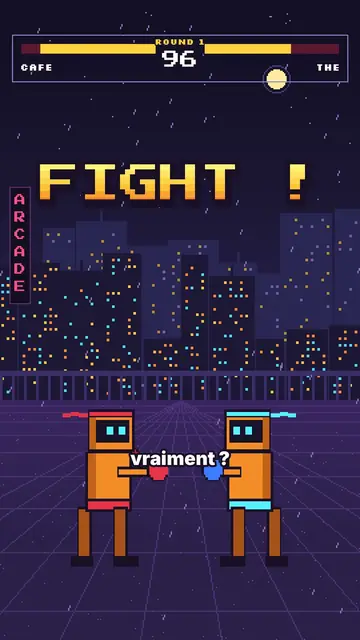
Versus comparison video
Arcade fighter style · Retro brawler pixel art: two robot boxers face to face, arcade HUD, FIGHT! and K.O.!
- Free
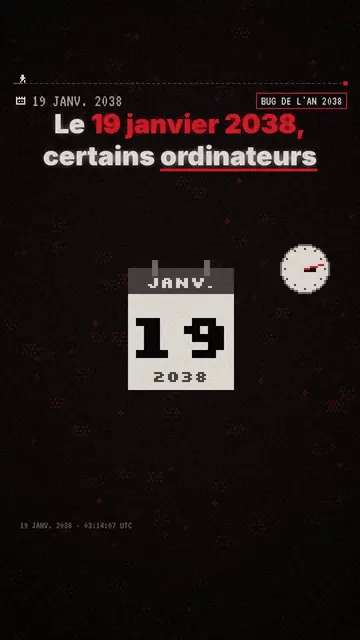
Pixel art explainer video maker
Pixel News style · Grey-and-red pixel art, dated HUD, word-by-word captions.
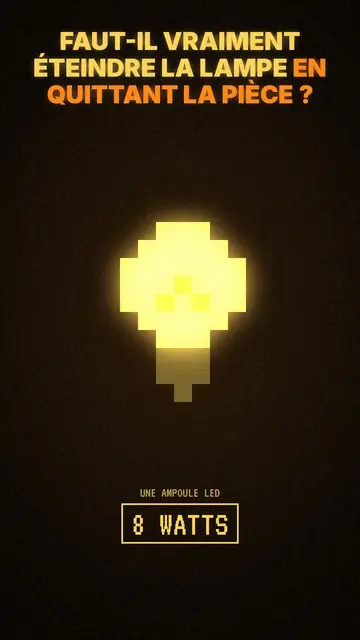
Moody pixel art story video
Mood pixel style · Warm, dark pixel art with radiant yellow light.
Your idea, in this style
Write a sentence or say it: the style is already picked when you reach the editor.