AI and privacy explainer video — Glowing eye style
Make a video about AI or privacy with a glowing orange lens-eye watching you: a zoom into the pupil, an orange flash, scores out of 100 and a terminal.
Included in Starter, with all 81 styles plus your own · preview rendered by the ClipOnIt engine
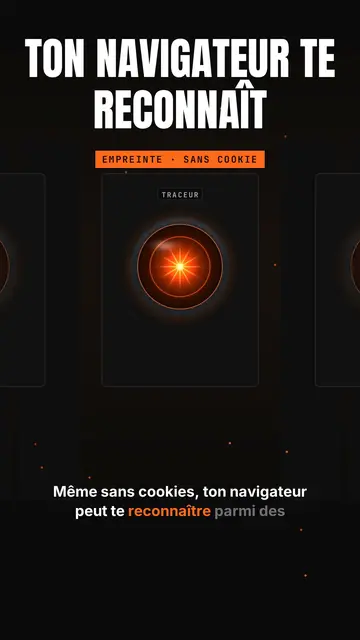
What this style looks like
Glowing eye sets a shining orange lens-eye in the middle of a black background, like a spaceship's onboard computer watching. Above it, a giant title in white condensed capitals, with an orange line below, and a framed orange mono label (“FINGERPRINT · NO COOKIE”). A small tab at the top left and a name above the eye give the feel of a console. Captions run word by word.
The camera dives into the pupil to enter the topic, a beam goes from the eye to a card, and a full-screen orange flash marks the shock fact with a dark mono banner. A row view shows a corridor of eyes in perspective, like a room full of consoles. Cards show scores out of 100, ASCII bars, a terminal, a list or a time counter. The end types the word to comment into a field.
Topics it suits
Avoid: warm, human or childish topics: the eye sets a cold, technical tone. Also avoid topics that need places or characters; everything happens in a console.
- Online privacyThe watching eye makes being tracked tangible, without a distressing image.
- AI tools and agentsThe console and the scores out of 100 give the feel of an audit run by a machine.
- Tool audits and testsASCII bars and the terminal show a measured result, not an impression.
- Shocking tech factsThe full-screen orange flash stops the scroll on the number that matters.
Video ideas in this style
- Your browser recognises you without cookies
The “Tracker” eye, the zoom into the pupil and the orange flash on the EFF study's 83.6% unique browsers.
- I audited my website with an AI
The “/audit” console, scores out of 100 and ASCII bars per criterion.
- What your phone really listens to
The corridor of eyes, the permissions terminal and the time counter.
- The AI agent that codes for you
The beam to the terminal, the task list and the final score.
Get it in 1 click
- Open this style's link
The “Create a video in this style” button opens the editor with this style already picked. Without an account, signing up takes a minute and needs no card.
- Write your topic in one sentence
One idea is enough. You can also paste your text or, from Starter, narrate into the mic: the video then builds on your voice.
- Review, then render
AI writes the scenes, picks the style's elements and times them to the words, with voice and captions. You fix what is off, then the vertical MP4 arrives in a few minutes.
What you can adjust
For each scene you pick the shot (eye, zoom, rows, flash or end), the giant title and its orange line, the framed label, the console's tab and name, the flash word and its banner, the beam, and one card on the word: score, bars, terminal, list, counter or number.
Frequently asked questions
Free or not, output, uses: the short answers.
Is the eye a reference to a film?
It is a lens-eye drawn by the ClipOnIt engine, in the spirit of sci-fi onboard computers, without copying any existing character.
Can I use my own voice?
Yes. Record yourself or import your audio: the zoom, the flash and the cards lock onto your words.
How is it different from Tech list?
Tech list presents a numbered list on a black card with a glowing badge. Glowing eye stages a watching console, with a zoom into the pupil, a flash and scores.
Is this style included in the free plan?
No, it comes with Starter ($29/month): 15 watermark-free videos a month, all 81 styles plus your own. The free plan gives 3 videos a month with a watermark in 8 other styles: Pixel News, Press paper, Comedy cartoon, Class sketch, Night tale, Social screen, Retro synthwave and Flat vector.
If you like this style
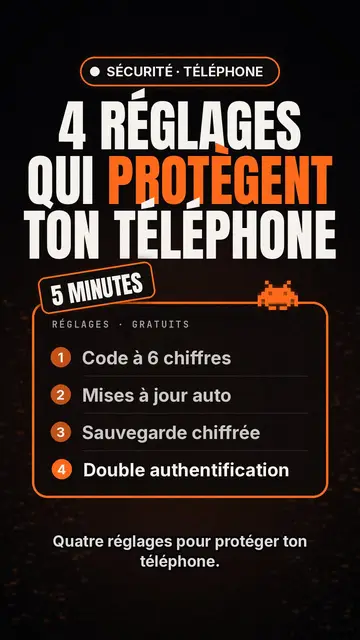
Tech top list video maker
Tech list style · Tech card on black, glowing badge, numbered list.
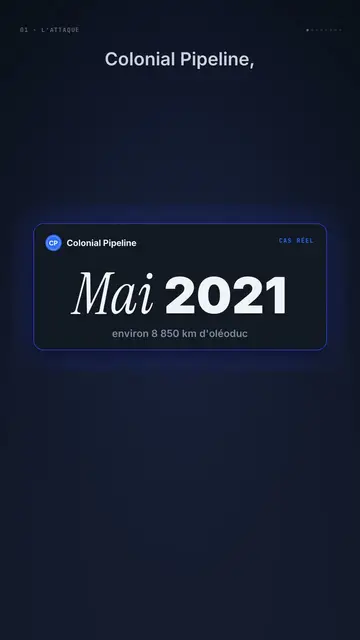
Dark UI tech explainer video
Night interface style · Dark glass cards on midnight blue, narration coming out of blur, blue, cream and black switches.
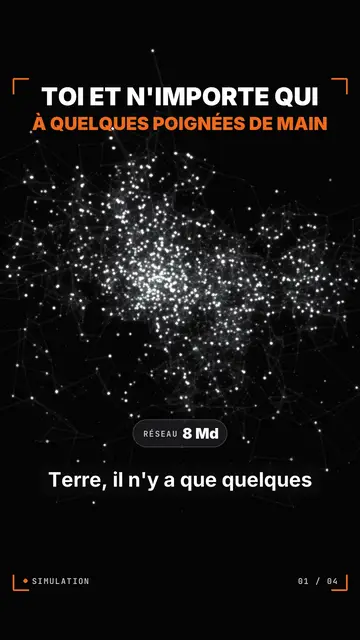
Particle network data video
Particle swarm style · Thousands of glowing dots on black that change colour by camps or by contagion.
Your idea, in this style
Write a sentence or say it: the style is already picked when you reach the editor.