Animated retro synthwave video — Retro Synthwave style
Create a retro synthwave video: striped sun, scrolling neon grid, purple and magenta pixel art, voice and captions. Free style, ready in 1 click.
On the free plan: 3 videos a month with watermark · preview rendered by the ClipOnIt engine
What this style looks like
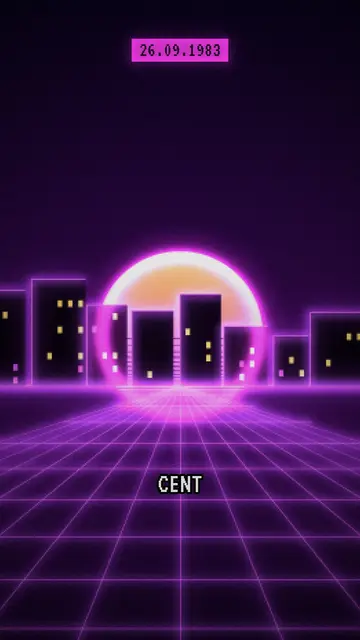
Retro synthwave sets every scene in a cassette-cover backdrop from the years 80: a striped setting sun on the horizon, a neon grid in perspective rolling towards you, a city with a glowing edge. Everything is in violet and magenta, rendered in chunky pixels with scanlines, like an old monitor. Neon lines draw themselves live while the voice speaks, to link two ideas or highlight an object.
Over this pixelated backdrop, the text stays sharp: the date sits in a magenta pill, the labels are set in white monospace inside a frame, and the title uses a pixel font. The contrast between the vibrating background and the clean text keeps it easy to read, even on a small screen. The whole thing evokes electronic music, arcade halls and computers from before the internet.
Topics that suit it
To avoid: serious or intimate topics (health, bereavement, crime stories). The neon and nostalgia make them feel light despite themselves. Also avoid very current topics with nothing retro about them, and tutorials that require showing a specific screen.
- Pop culture of the years 80Films, hits, fashions: the setting places the era before the first line is even spoken.
- The history of consoles and computersPixels and the neon grid speak straight away to anyone who played the first games.
- Electronic musicA genre, a synth or an album is best told through a setting that looks like it.
- Yesterday's tech anecdotesA famous outage or a Cold War false alarm takes on the tone of a period story, dated by its badge.
Video ideas in this style
- The false nuclear alert of 1983
A radar screen, missiles that don't exist, an officer who decides to do nothing: the date on a badge at every step.
- How the living room console was born
From the arcade cabinet to the living room TV, each scene adds a machine to the neon grid.
- Why the years 80 are back
Music, series, clothing: three scenes explain the nostalgia for an era many people never lived through.
- Life before the internet
Directories, booths, cassettes: a list of vanished objects, each labelled in monospace type.
Get it in 1 click
- Open this style’s link
The ‘Create a video in this style’ button opens the editor with this style already selected. No account? Signing up takes a minute and doesn’t need a card.
- Write your topic in one sentence
An idea is enough. You can also paste your text or, from Starter, tell your story into the mic: the video is then built around your voice.
- Review, then start the render
The AI writes the scenes, picks the style’s elements and times them to the words, with voice and captions. You fix anything that’s off, then the vertical MP4 is ready in a few minutes.
What you can adjust
You change the date on the pill, the label text and the title of each scene, plus the narration line and its duration. You can move an element, replace it, or ask for three variants of a scene to compare layouts. The neon lines follow what the voice says. From Starter, you can add your own voice and ask the AI Director for edits by talking to it.
Frequently asked questions
Free or not, rendering, uses: short answers.
What is a synthwave video?
A video with the look of the dreamed-of 80 years: striped setting sun, neon grid, purple and magenta. Here, this setting supports an explanation, with voice-over and captions, rather than being a simple ambient loop.
Can it be used for a music video?
The style is built for storytelling: a voice explains, the scenes illustrate. It works very well for talking about an artist, an album or a genre. For a wordless clip synced to a track, it isn’t intended.
Does the text stay readable despite the pixels?
Yes. Only the backdrop is pixelated; titles, dates and labels sit crisp on top, in white or magenta, and the captions follow the voiceover.
Is this style on the free plan?
Yes. It's one of the 8 styles on the free plan: 3 videos a month with the ClipOnIt watermark, no card needed. Starter ($ 29/month) removes the watermark, gives you 15 videos a month and unlocks all 24 styles, plus yours.
If you like this style
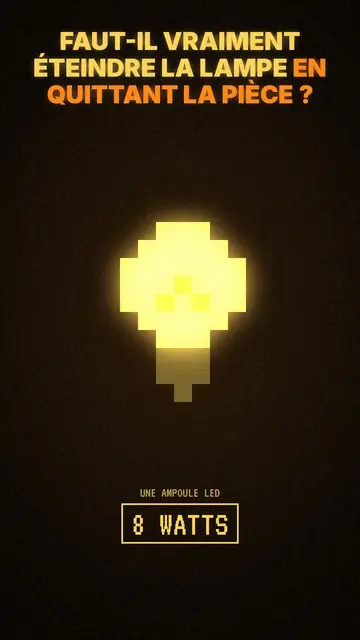
Ambient Pixel Art Video
Ambient Pixel Style · Dark, warm pixel art with a glowing yellow light.
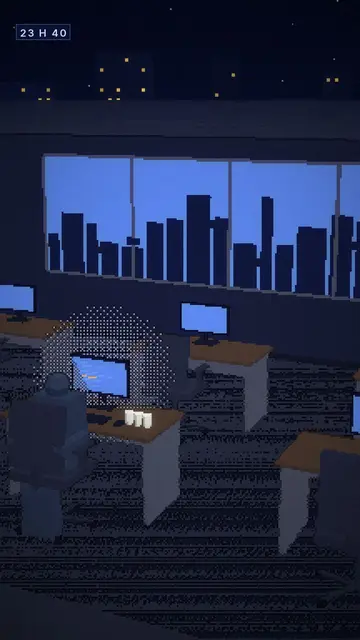
Night-time 3D voxel animation
Voxel Night style · Night scenes in chunky 3D pixels, city and lit screens.
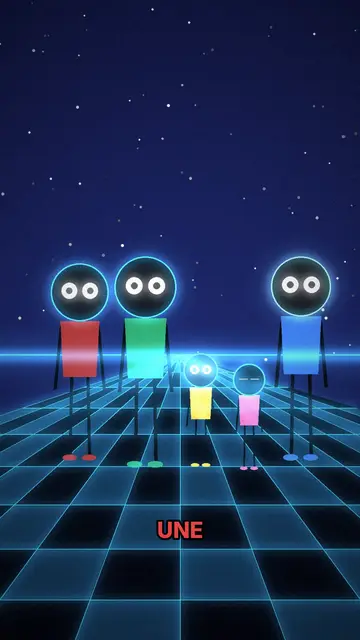
Neon silhouette animation
Neon Silhouettes style · Silhouettes with glowing eyes on a neon chequerboard.
Your idea, in this style
Write a sentence or dictate it: the style is already picked when you get to the editor.